
Drive your day. Confirm your travel in two minutes.
Doorside records the drive between home visits, matches each trip to your Cliniko diary and applies the scheme's travel rule. Your practice gets travel lines for NDIS, WorkSafe Victoria and TAC, and staff mileage from the same trips. Every charge explained, every km on record.
For OTs, physios, speech pathologists and exercise physiologists who see clients at home, at school or at work.
How this was worked out
- Trip recorded: 38 min, 24.6 km.
- MMM 2: limit 30 min each way. 30 of 38 min billable.
- Time: 0.5 h × A$97.00/h = A$48.50.
- Kilometres: 24.6 km × A$0.99 = A$24.35.
- Total: A$72.85. Rule pack 2026.3, terms v1.
Your mileage isn't affected by what the client is charged.
See it
Your phone does the noticing. The billing run does the sorting.
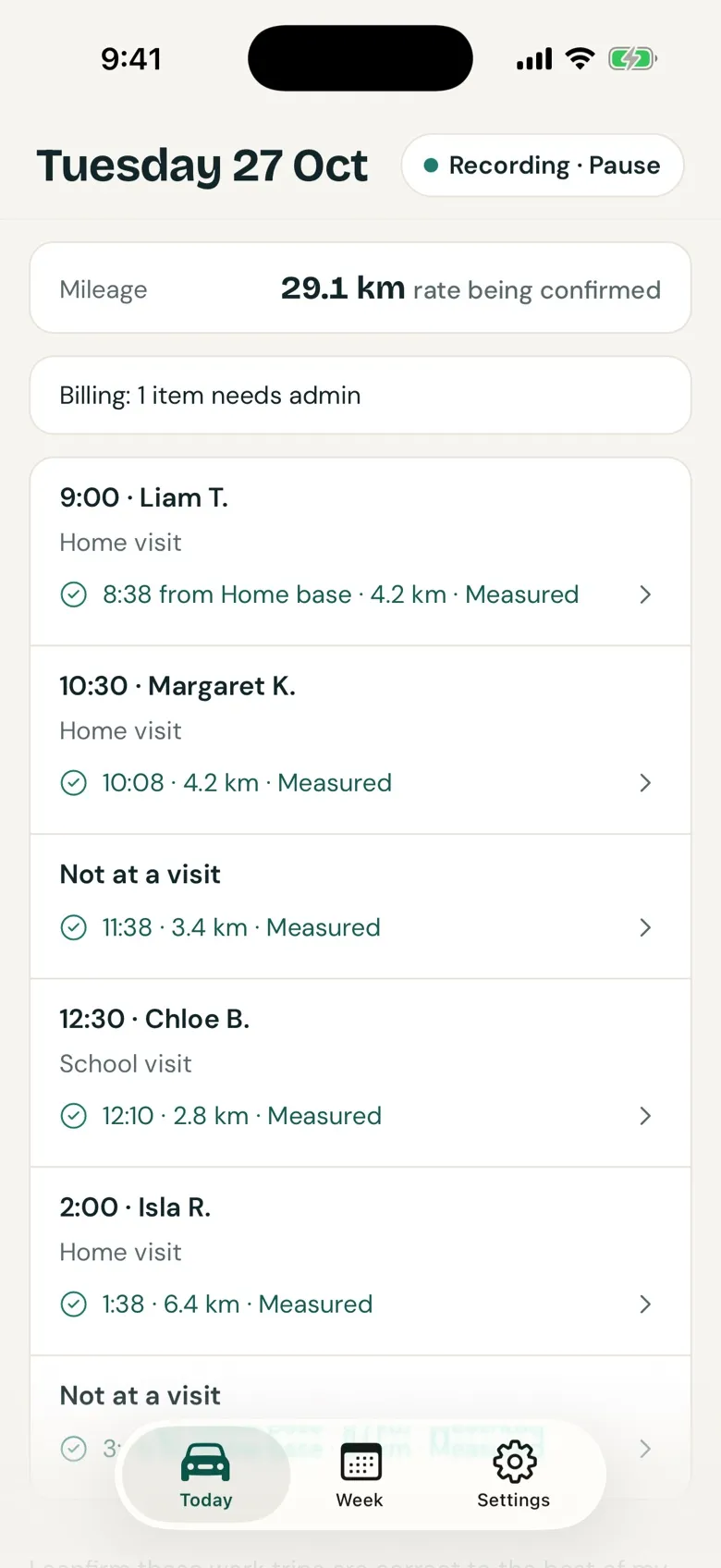
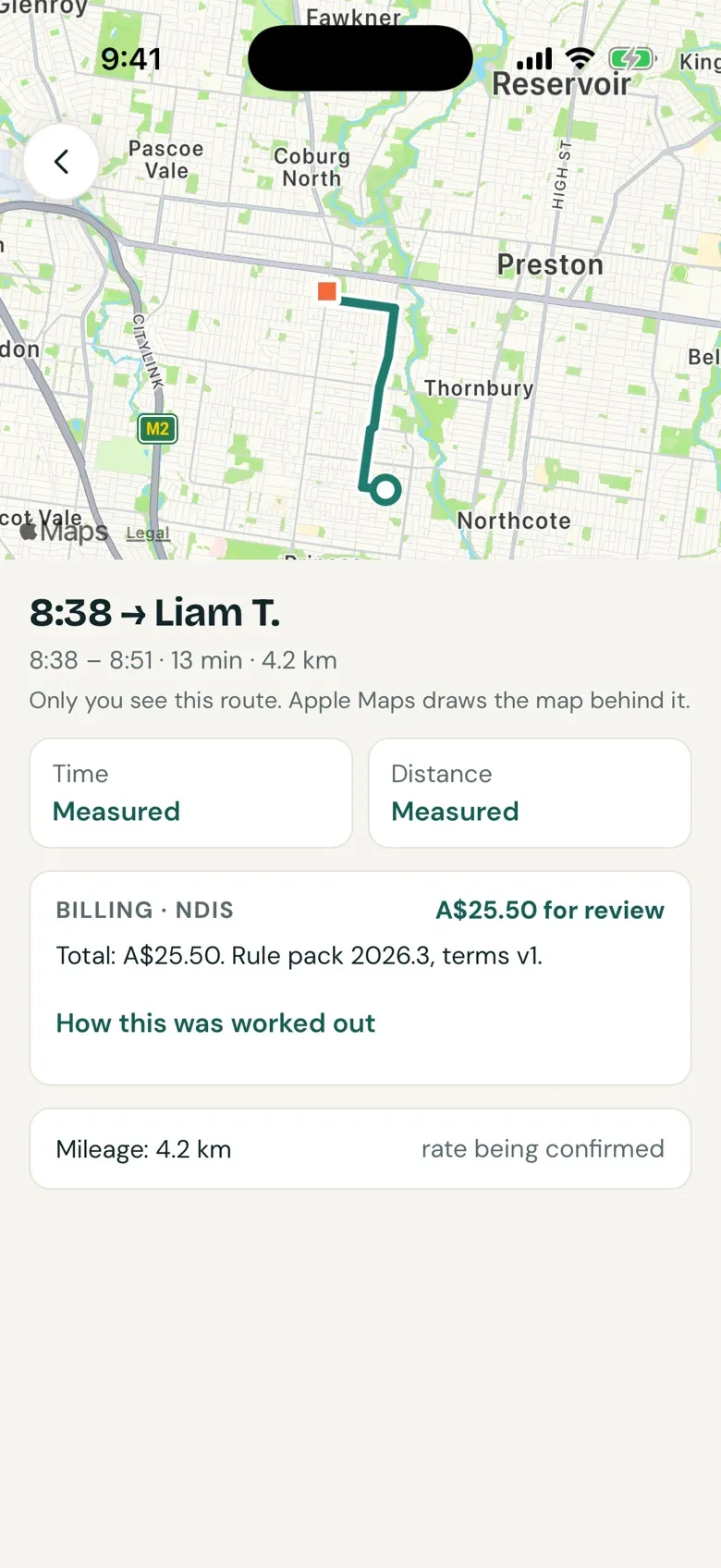
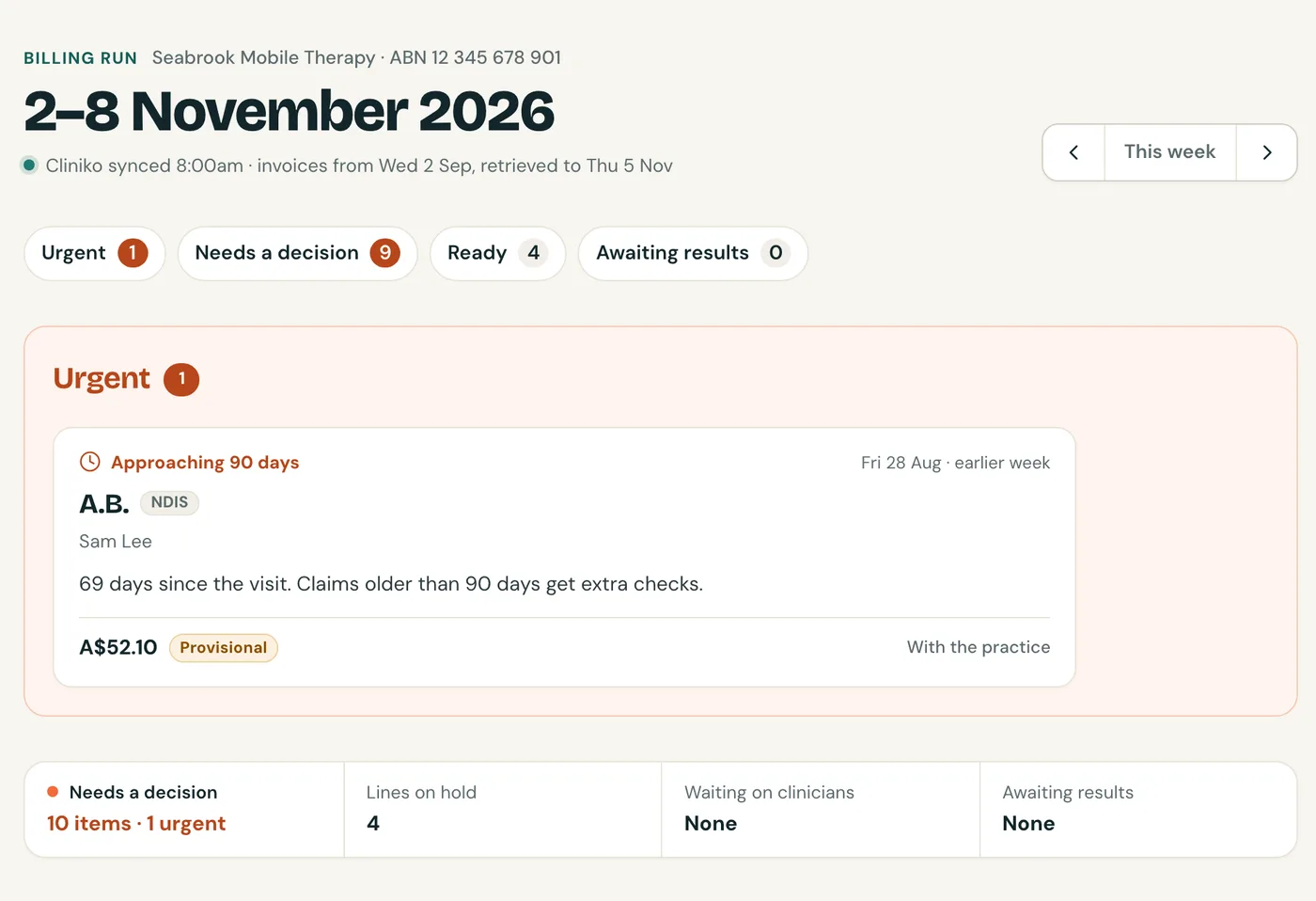
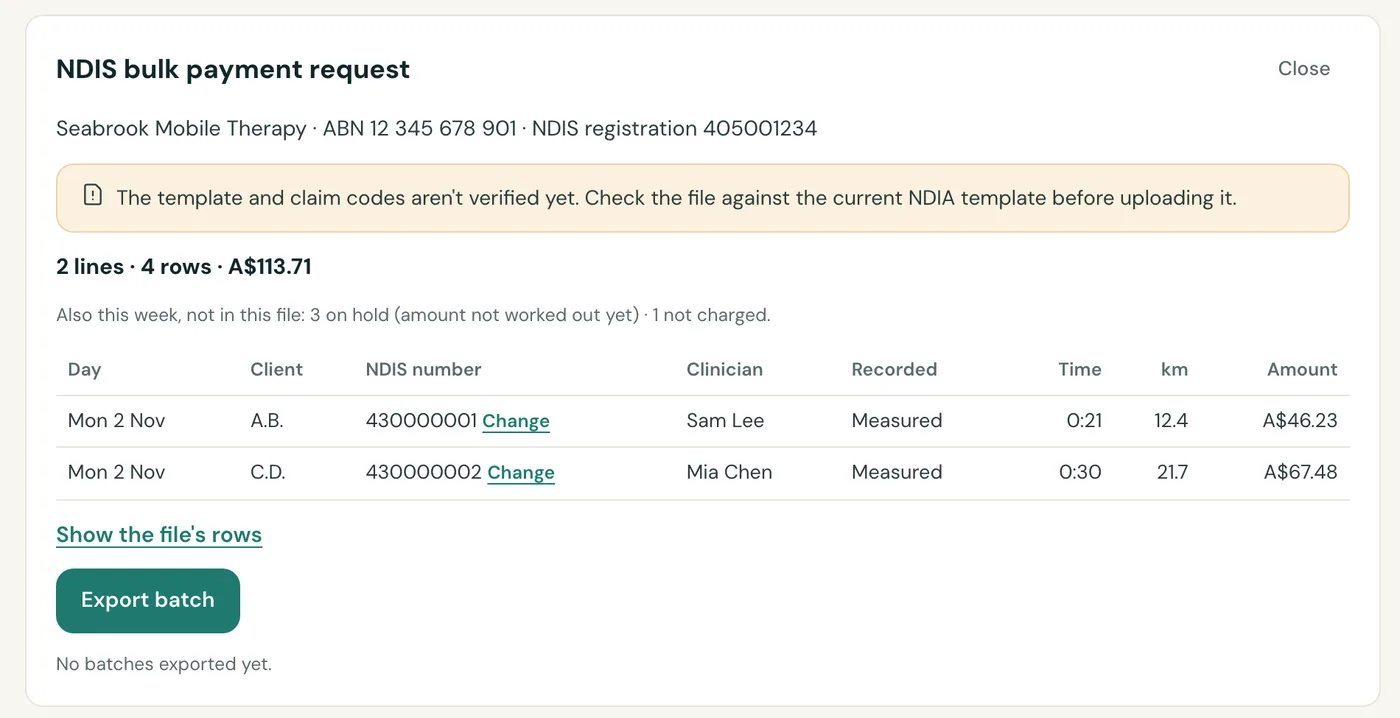
Real screens from Doorside in development, showing a day at Seabrook Mobile Therapy, our fictional practice. The drives, distances and amounts were worked out by the app itself.
The job today
Travel is the fiddliest line on the invoice
After a day of home visits, someone has to work out, for every visit: how long and how far the drive was, whether this client's scheme pays for it, at what rate and up to what cap, whether to split it with another client on the same trip, and what goes on the invoice.
Most of it is done from memory or Google Maps, then typed into each invoice by hand. Some practices waive travel on purpose. That's a fair choice, and Doorside treats it as one.
NDIS
Time and km, capped by zone
Travel time at half the therapy rate, up to 30 or 60 minutes each way depending on where the client lives. Kilometres on their own line, if the client agreed to them.
WorkSafe Victoria
Per km, metro or regional
Different rates for Melbourne and regional travel, different rules for physio and OT, and prior approval for some of it.
TAC
Per hour, with approval
Physio travel is billed by the hour in 15-minute steps, once the TAC has approved it.
And when a plan manager, the NDIA or a scheme asks how a charge was worked out, the answer needs to be on record. See the rules Doorside works from.
How it works
One drive, two jobs done
The clinician drives. The practice bills. Doorside connects the two, so nobody retypes a trip.
The clinician's phone
Drive, then confirm the day
Set up in about five minutes
Your practice connects Cliniko once and sends you an invite. You choose how trips are recorded:
- Automatic
- Start each day
- Diary estimates
Drive your day
Trips are recorded as you drive and matched to your diary visits. On Automatic there's nothing to tap while you work. Stops and anything that isn't work stay on your phone.
Confirm day
One reminder at the end of the day. Doorside only asks what it can't work out, like a trip with no visit or which car you took. Then you confirm the day.
See your mileage
Your work km and mileage come from the same trips. A client's waiver, cap or shared split never reduces what you're paid.
Every trip says how it was recorded, for time and distance separately: Measured, Partly measured, Estimated.
The practice
A weekly billing run
Travel lines, ready to bill
Confirmed trips become travel lines under each client's scheme, zone and travel terms. Shared trips are split. Time over the cap is shown, not hidden.
Only what needs a person
Missing travel terms, an unclear rule or a missing approval puts that one line on hold, with who it's waiting on. The rest of the week carries on.
Export by funding route
- NDIS agency-managed
- Bulk payment request CSV
- NDIS plan-managed, self-managed and private
- Invoice list for your practice system
- WorkSafe Victoria
- Lines plus an evidence sheet per claim
- TAC
- Lines plus an evidence sheet per claim
- Staff mileage
- A pay pack for payroll
Follow it to paid
Each claim moves from Ready to Exported, Submitted and Paid. Doorside doesn't issue invoices or submit claims. It feeds the invoicing and claiming you already do, and it never writes to Cliniko.
Built to be checked
Every charge explains itself
Never helps you over-bill
Caps, missing travel terms and double counting are flagged as clearly as missed travel.
Not charging is a choice
When a client isn't charged, Doorside says why: Waived, Over the cap, Included in price, Not permitted, Not supported yet.
Evidence when someone asks
An evidence sheet for one client: times, km and how they were recorded, the rule and its version, the travel terms, and every edit with who made it and why.
Rules with a date and a source
Each line keeps the rule version it used. The rules are public, and they're not yet reviewed by a billing specialist. Read them.
Privacy
Raw location never leaves the phone
Trip data is kept in three places, depending on what it is and whether it's work.
Stays on the phone
- Raw location points, encrypted
- Trips that don't match a visit, and stops
- Anything the clinician marks private
Shared with the practice as totals
- Trips that match a diary visit: times, km and how they were recorded
- No map
Sealed as evidence
- The route of each confirmed work trip, encrypted on the phone before upload
- Opening one needs a reason, is logged, and the clinician is told
Never measuredLive location, speed, driving, attendance or productivity.How Doorside handles data
Who it's for
Mobile allied health in Australia, Victoria first
Mobile clinicians
OTs, physios, speech pathologists and exercise physiologists who drive to clients, solo or in a team.
Practice owners
Practices with mobile staff: travel billing and staff mileage for the whole team in one weekly run.
Whoever does the billing
Practice admins, VAs and bookkeepers. A billing partner gets a free seat in each practice they work for.
- Schemes at launch: NDIS (which works nationally), WorkSafe Victoria and TAC.
- Practice systems: Cliniko at launch. We're working on more integrations.
Pricing
A$19 per active clinician a month, + GST
You pay only for clinicians who recorded a trip that month. A quiet month for someone costs nothing. Owner, admin and billing partner seats are free, and it's the same price for a solo clinician or a team.
Beta
Join the beta
We're looking for a small group of Victorian practices to use Doorside first, from early 2027: 2 to 10 mobile clinicians each, with a mix of NDIS and WorkSafe or TAC clients. We'd also like one solo clinician.
It's free for about three months. After that, beta practices keep a founding price of A$15 per active clinician a month (+ GST), locked for 12 months. In return, we ask for a check-in every two weeks, and an owner and admin we can reach.
Rather email? Write to hello@doorside.app.